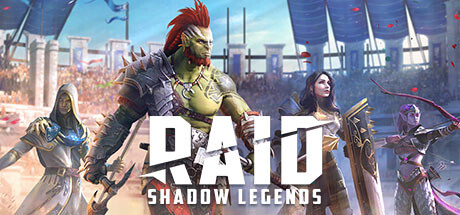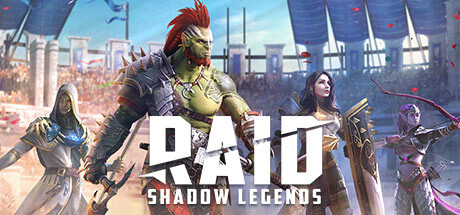
RAID: Shadow Legends is unusual among gacha RPGs in that Plarium never made you fake your way onto PC through an Android emulator. It has a genuine native client — Plarium Play — plus listings on Steam, the Epic Games Store, and the Microsoft Store, all running the actual PC build of the game rather than a mobile app in a window. That matters for setup: instead of tuning emulator CPU allocation, you're dealing with a real client that has its own hardware floor and its own in-game graphics menu, and both are worth getting right if you're running Dungeon farming sessions or Arena battles for hours at a stretch.
What you actually need to run it
Plarium's published requirements are modest by modern standards, because RAID is a champion-collector RPG rather than an open-world game, but they're not trivial either — the game renders detailed champion models and particle-heavy skill effects in every battle, which is where weaker hardware actually struggles.
| Minimum | Recommended | |
|---|---|---|
| OS | Windows 10 (21H1) / macOS Monterey 12 | Same, kept updated |
| CPU | Intel Core i3-2120 or equivalent | Intel Core i5-4460 or better |
| GPU | DirectX 11 / Vulkan-capable | Dedicated GPU, DX11/Vulkan |
| RAM | 4 GB | 8 GB |
| Storage | ~5 GB free | ~5 GB free (SSD preferred) |
The CPU line is the one to actually pay attention to. RAID's battle screen is running a lot of simultaneous particle and shader work when six champions each fire off skill animations in the same turn, and on a CPU below the i5-4460 tier you'll see it as frame drops specifically during Clan Boss or Dungeon multi-hit turns — the moments you least want a stutter. If you're building or buying anything CPU-bound for this, prioritize a modern quad-core over squeezing out extra GPU headroom.
In-client graphics settings worth adjusting
Plarium Play (and the Steam/Epic builds) expose a real graphics options menu, unlike most mobile ports — this is your actual lever for smoothing out performance without changing hardware:
- Graphics quality preset (Low/Medium/High/Very High): Start at High and drop to Medium if you see stutter during Clan Boss or Doom Tower battles specifically — those are the highest-particle-count fights in the game and the first place frame drops show up.
- Resolution / window mode: Windowed Borderless is worth using over true Fullscreen if you multitask between RAID and chat/Discord during long farming sessions — the swap cost between windows is near zero and you avoid alt-tab flicker.
- FPS cap: If your GPU has plenty of headroom, uncapping or raising the FPS limit smooths out UI scrolling in menus, but it isn't necessary for combat itself — RAID's battle animations aren't reflex-timed, so extra frames don't add a gameplay advantage the way they would in a shooter.
- Battle animation speed / skip options: Not a graphics setting, but pair it with your performance tuning — running at 2x-3x battle speed on farming stages reduces total GPU load time per session more than any single graphics toggle will.
A sensible hardware tier for regular play
You don't need a gaming rig for RAID, but if you're shopping for or repurposing a machine specifically to run this comfortably alongside normal desktop use:
- Budget tier: Any Ryzen 5/Core i5 from the last 5-6 years, 8 GB RAM, integrated graphics. This clears the recommended spec comfortably and will hold Medium-High settings without stutter in normal content.
- No-compromise tier: A CPU with strong single-core performance (RAID doesn't meaningfully use more than a few cores) paired with any dedicated GPU from the last several generations — the GPU is rarely the bottleneck here, so don't overspend on it for this game specifically.
Which install method to actually use
If you exclusively play RAID, Plarium Play is the simplest choice — it's a lightweight, purpose-built launcher with none of the general-purpose overhead of an Android emulator. If you already have RAID linked to a Steam library alongside other games, the Steam build is functionally identical and saves you a separate launcher. The Epic and Microsoft Store versions exist mainly for platform-exclusive reward promotions Plarium runs periodically — worth grabbing an account link there if a promo is active, but not a reason to switch your primary client.
The bottom line
RAID: Shadow Legends doesn't ask much of your hardware, but the CPU matters more than most players expect because of how particle-heavy multi-champion battles get. Hit the recommended i5-4460-class CPU and 8 GB of RAM, use the native client instead of an emulator since Plarium already built one, and drop the graphics preset to Medium if Clan Boss or Doom Tower turns start chugging — that's the entire tuning process for a game that's really about champion collection, not visual fidelity.
Sources: